 Microsoft’s Analyst and Researcher agents in its Copilot AI
The realm of AI is evolving rapidly; this process can be considered natural given the underlying core learning capabilities of large language models, but there is also the competition that fuels it endlessly. xAI and OpenAI have recently released latest iterations of their flagship products that are focused on graphics. Microsoft, on the other hand, pursues a different venue: it announced integration of two agents, Researcher and Analyst, into its Copilot AI. Let’s see what’s known about them thus far.
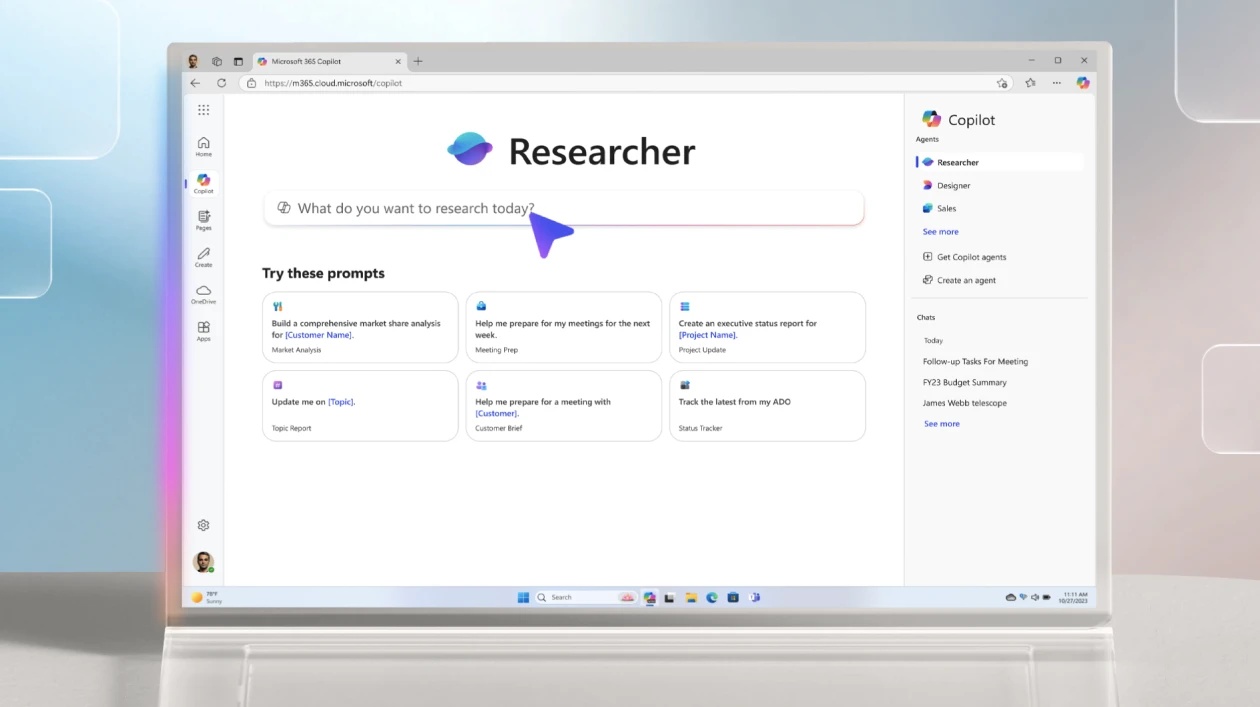
What is Copilot’s Researcher agent?
According to Microsoft, Researcher is basically an extension based designed to tackle multi-step, complex tasks. Here are a couple of key features of Researcher:
- Connectors. These are like bridges bringing together data from previously uncombinable sources; imagine having Copilot scooping whatever is needed from emails and files stored locally and aligning the data with what’s recorded in external tools like Salesforce, ServiceNow, and Confluence.
- Reports. Copilot’s Researcher converts the dataset collected using connectors into multi-page reports with valid references and citations.
The use case example Microsoft gives in its blog post is a market expansion strategy, but it feels like these capabilities can help do a wide range of tasks, from sales optimization through term paper preparation to personal finance management fine-tuning.
What is Copilot’s Analyst agent?
As the developer puts it, “Analyst thinks like a skilled data scientist.” This means it can crunch numbers any way you need it to, and give you the results in an easy-to-comprehend form, highlighting things you would have probably missed if doing the job yourself. And, since it’s an AI tool, the process takes seconds.
Key capabilities of Analyst:
- Iterative approach. The agent relies on OpenAI’s o3-mini reasoning model and deducts valuable insights in an iterative manner.
- Output verification. Analyst can execute Python code in real-time, thus letting you see if the results it arrived at are actually valid.
Microsoft believes that Analyst is primarily a tool for marketers who need to forecast demand and create revenue projections, but, same as with Researcher, it would seem like the tool can tackle other problems in totally different domains.
What is Microsoft’s Frontier program?
Microsoft’s Frontier program aims to give early access to raw AI-based tech to its potential users, enterprises and developers in the first place. The eligible parties are:
- organizations that are Microsoft 365 Copilot license subscribers;
- Azure AI Studio users;
- partners of Microsoft’s AI teams;
- interns and researchers hired by the company.
Thus, if you think you need access to Analyst and Researcher as early as in April 2025, consider becoming one of the above. Else, wait for the tools to be released to the general public, because they most likely will be.